Download Simulator Mods » GTA V » GTA V other mods » Field of View in First Person Mode v1.1 for GTA V

Field of View in First Person Mode v1.1 for GTA V 0

0
Field of View in First Person Mode v1.1 for GTA V
Category:
GTA V other mods
Version:
GTA V
Credits:
DrDaxxy
Views:
3 453
Date added:
25-04-2015, 22:54

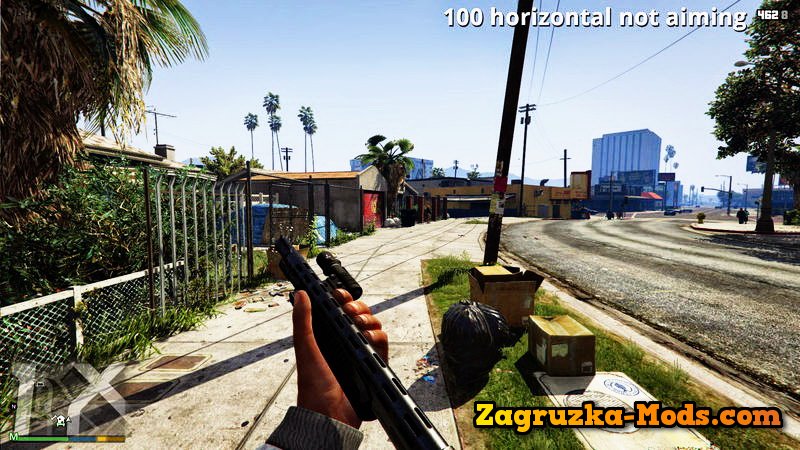
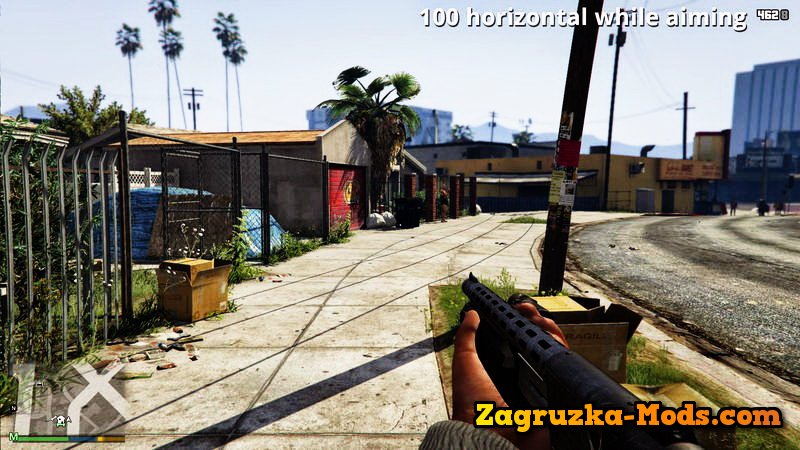
This mod allows you to freely set your desired field of view for the first person mode of Grand Theft Auto V.

Tested and working on the worldwide Steam and retail/Rockstar Warehouse version as of April 15, 2015 - there's no guarantee a future patch won't break it, but this mod will be updated for compatibility if necessary.

Be advised: We do not yet know the game's anti-cheating measures - use at your own risk. This mod modifies game memory and as such looks like a cheat, and may even be considered one in online multiplayer as having a higher field of view can put players at a competitive advantage. I consider it about as risky as SweetFX, so not very, but a risk is still there.

Installation instructions:

- Find your GTA V installation folder (e.g. C:\Program Files (x86)\Steam\SteamApps\common\Grand Theft Auto V). It should have files such as GTAV.exe and bink2w64.dll in it.
- Extract fov.txt and dsound.dll into that folder.
- Change the contents of fov.txt to your desired vertical(!) field of view. The default I've set is 68, which translates to about 100 degrees horizontal on a 16:9 display. If you only know the horizontal FoV you want, here's a handy calculator: https://www.rjdown.co.uk/projects/bfbc2/fovcalculator.php
- All done! Launch the game as usual.

-------

Anticipated questions / known issues:

Q: I don't see any "dll".
A: Windows doesn't display known file extensions by default - if you just see a "bink2w64" file, that's okay, that's what I meant.

Q: Does this work on the Rockstar Warehouse version of the game too?
A: Yes.

Q: Why doesn't the FoV slider in the camera menu work anymore?
A: The mod overrides it. If you want the default values back, you can uninstall it, or set them in fov.txt (they go from 45 to 55). If you want an ingame way of changing field of view, I might try utilising the cheat code prompt for that, but no guarantees.

Q: So how do I uninstall this?
A: Just delete dsound.dll from your GTA V installation folder again.

Q: I have a super fast PC and this doesn't seem to work.
A: The mod waits 30 seconds after the game starts (i.e. the program opens, not 30 seconds after you gain control of your character) to take effect, as it crashes if it tries to load immediately when the game does. I know there's better ways to avoid this, but I wanted to get this out quickly.

Q: I set the FoV to 100 and everything looks weird!
A: You need to convert your FoV to the vertical FoV, see the calculator linked above.

Q: Where's the source code?
A: I'll put it up shortly when I've polished it, but it's nothing special, really.

Q: My question wasn't answered / where can I discuss this?
A: Preferably the Reddit post: https://www.reddit.com/r/GrandTheftAutoV_PC/comments/32n8m0/i_made_a_mod_for_freely_setting_your_firstperson/


Changelog

1.1 (April 15, 2015)
- Added debug log output.
- Changed wrapped DLL to dsound.dll for compatibility with non-Steam version.

1.0 (April 15, 2015)
- Initial release
ย 

Field of View in First Person Mode v1.1 for GTA V

Field of View in First Person Mode v1.1 for GTA V

  • Screens
  • Policy
Field of View in First Person Mode v1.1 for GTA V
Download Links โ€“ Policy & Disclaimer

All download links on this page point to third-party hosting platforms (e.g. ShareMods, ModsFire, ModsBase and similar trusted mod hosters). Links are reviewed at the time of publishing, but we cannot guarantee the permanent availability or content of external websites.

  • All mods listed here are checked for malware before being published.
  • We are not responsible for ads or additional content shown on third-party sites.
  • If a link is broken or leads to incorrect content, please contact us and we will update it promptly.
  • To request removal of a link, contact the admin. Removal is at our discretion unless required by law.

By downloading, you confirm you have read and agree to our Terms & Conditions.


By clicking GET FILE NOW, you confirm this content is hosted on external platforms. All files are scanned and verified before listing.

GET FILE NOW (Direct Access)
Download links may redirect to trusted third-party mod hosting platforms. We are not responsible for any ads or additional content displayed there. All hosted mods are checked for malware before being listed on ZagruzkaMods.
By proceeding, you agree to our Terms & Conditions and contact us if you experience any issues.
Related Mods Similar Mods to try
SRT Viper T/A 2014 v1.13 for GTA 5 v1.0.393.4
SRT Viper T/A 2014 v1.13 for GTA 5
GTA V cars
Credits: 2014 SRT VIPER T/A Model:Turn 10 Studios,EA Game Edit & Convert:AIGE update 1.13: Real Car Name Installation: ---------------------------------------------------------------- 1:Copy...
FoV Mod v1.32 for GTA 5 1.22.x
FoV Mod v1.32 for GTA 5
GTA V other mods
...
OpenIV Mod v2.7 for GTA 5 v1.0.393.4
OpenIV Mod v2.7 for GTA 5
GTA V other mods
OpenIV is a multi-purpose editor and archive manager for PC versions of Grand Theft Auto V, Grand Theft Auto IV/EFLC and Max Payne 3. Version 2.7: openFormats development Brand new Package Installer...
Ferrari 599XX Evoluzione 2011 v1.0 for GTA 5 v1.50+
Ferrari 599XX Evoluzione 2011 v1.0 for GTA 5
GTA V cars
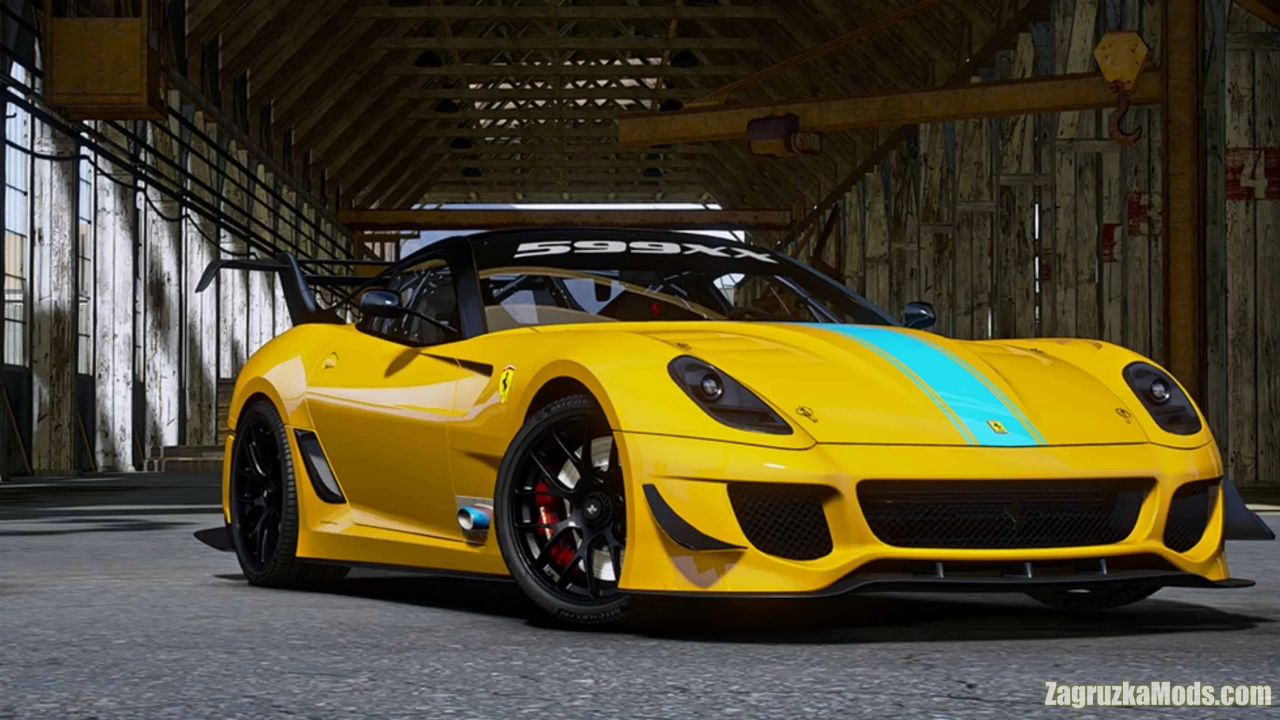
Mod Ferrari 599XX Evoluzione 2011 v1.0 for GTA 5 | Grand Theft Auto V game. Features: โ€“ refined interior โ€“ Highly restored digital gauges โ€“ HD rear view mirror Installation tutorial: 1: Put the...
Community Rules
Keep it respectful โ€” no insults or personal attacks
Stay on topic โ€” comments must relate to the mod/post above
No spam, advertising or self-promotion links
No duplicate comments or copy-paste flooding
Report broken links using the Report button, not comments
Comments in violation will be removed without notice