Download Simulator Mods » GTA V » GTA V other mods » Dynamic Vehicle First Person Camera v1.3 for GTA 5

Dynamic Vehicle First Person Camera v1.3 for GTA 5 0

Dynamic Vehicle First Person Camera v1.3 for GTA 5
Category:
GTA V other mods
Version:
v1.60+
Credits:
ikt
Views:
1 066
Date added:
6-05-2025, 00:52

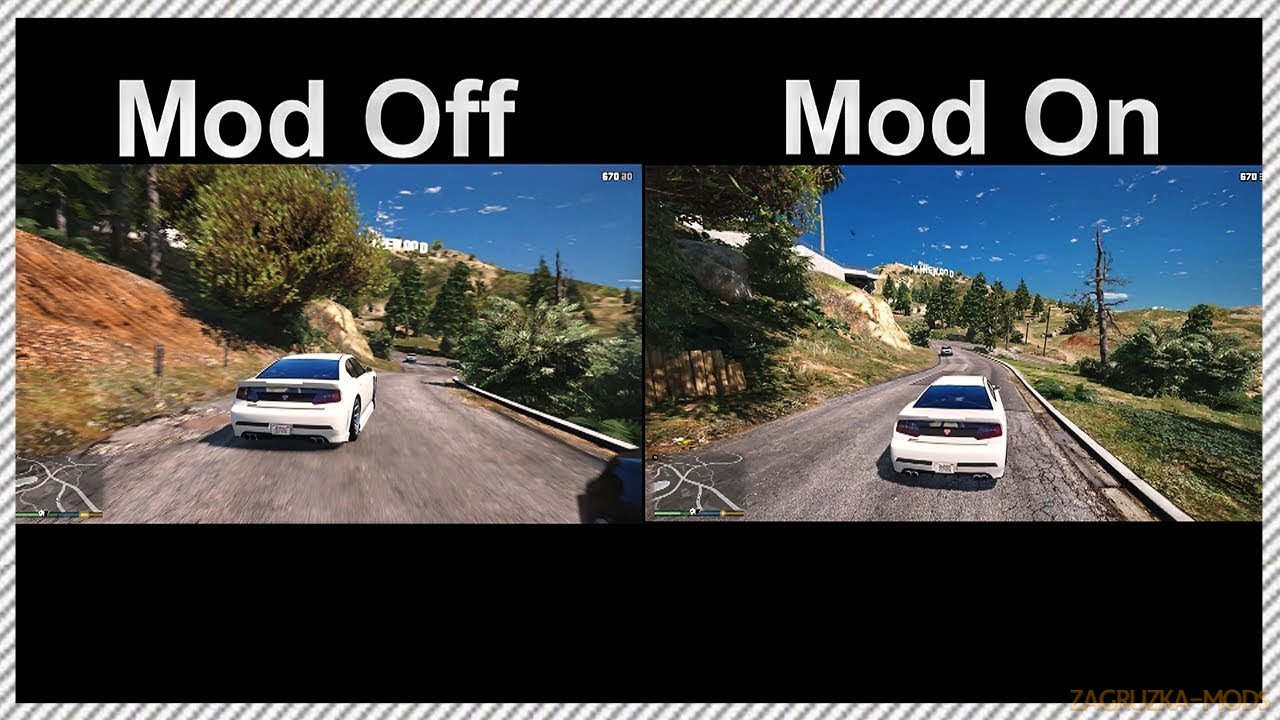
Dynamic Vehicle First Person Camera for GTA 5 - is a custom script designed to enhance the first-person driving experience by introducing a more immersive and realistic vehicle camera system. Originally developed as part of the Manual Transmission mod by ikt to address locked camera issues with synced wheel animations, it evolved into a standalone mod due to its extensive features and customizability.

Features Dynamic Vehicle First Person Camera:
Camera Effects and Dynamics
  • Inertia Effects: The camera responds to vehicle physics, adding vertical and lateral movement to simulate the driverโ€™s head reacting to acceleration, braking, and turns.
  • Camera Shake:ย 
    • Shake based on vehicle speed (configurable, enabled by default).
    • Shake based on terrain, enhancing realism on rough surfaces (configurable, enabled by default).
  • Depth of Field Effect: Adds a cinematic blur to distant objects for a more immersive visual experience (requires Very High PostFX settings, disabled by default).
  • Dynamic Horizon Lock: Stabilizes the cameraโ€™s horizon to prevent disorienting tilts, with fixes for smooth behavior when looking backward or during rollovers.
Camera Control and Customization
  • Configurable Camera Settings: All options are adjustable via an in-game menu, with descriptions for each setting to guide users.
  • Multiple Camera Modes:
    • Replaces default "Vehicle1", "Vehicle2", and "Driver Head" cameras with a flexible system allowing multiple user-defined cameras per vehicle configuration.
    • Adjustable horizontal and vertical rotation limits for precise control.
  • Gamepad Look Modes:
    • Directional: Camera yaw aligns with joystick direction (similar to Need for Speed games, requested by user WTLS).
    • Direct: Joystick directly controls pitch and yaw.
    • Classic: Joystick moves the camera in the chosen direction (mimics default GTA behavior).
  • Mouse and Gamepad Sensitivity: Horizontal and vertical sensitivity are decoupled and adjustable for both mouse and gamepad inputs.
  • Responsiveness Setting: Replaces the previous "Smoothness" setting with a more intuitive "Responsiveness" scale using standard numbers.
Looking Back Mechanics
  • Improved Look-Back Feature:
    • Consistently looks over the left shoulder for centered seats (e.g., motorcycles).
    • Considers existing camera rotation for smoother transitions.
    • Adjusts lean distance based on window state (leans further if the window is down or broken).
  • Configurable Lean Distance: Adjust how far the camera moves when looking backward.
Visual and Audio Fixes
  • Visual Glitch Fixes: Corrects issues like traffic lights, rain particles, and other elements clipping through the camera in first-person view.
  • Audio Adjustments:
    • Uses normal first-person vehicle audio for consistency.
    • Disables in-vehicle audio on motorcycles to fix missing reverb effects.
  • Accessory Management: Automatically removes helmets, hats, and glasses when entering first-person view and restores them when exiting.

Tested in game version v1.60+ย 
  • Screens
  • Videos
  • Changelogs
  • Policy
Dynamic Vehicle First Person Camera v1.3 for GTA 5 Dynamic Vehicle First Person Camera v1.3 for GTA 5 Dynamic Vehicle First Person Camera v1.3 for GTA 5 Dynamic Vehicle First Person Camera v1.3 for GTA 5
Changes in v1.3:
New features:
  • First-person aiming is now handled by the script
    • Reverting to vanilla aiming is possible in Settings
    • For gameplay purposes, camera rotation limits exceed 180 degrees.
      ย  ย  ย  ย  ย  ย 
  • Add a hotkey to switch cameras within a config
    • Defaults:
      • Gamepad: Hold X
      • Keyboard: N ย  ย  ย  ย  ย 
    • A notification pops up when changing cameras
    • This can be turned off in Settings
      ย  ย  ย  ย  ย  ย 
  • Add a hotkey to toggle re-centering
    • Defaults:
      • Gamepad: Dpad down
      • Keyboard: B
        ย  ย  ย  ย  ย  ย  ย  ย  ย  ย 
    • Re-centering is automatically re-enabled when switching views
    • A small "o" indicator on the top left is shown while re-centering is disabled
      • This can be turned off in Settings
  • Hotkeys for switching cameras and re-centering can be reassigned in settings_general.ini
    • Check _info_Keys_Controls.txt for available keys and how they work.
  • Horizontal and vertical sensitivity are decoupled for mouse and classic gamepad modes
    • Old settings are automatically upgraded.
    • For gamepad, the vertical sensitivity is halved during this upgrade.
    • All sensitivity settings can be changed to personal preference afterwardsย  ย  ย  ย  ย  ย 
  • Disable heavy brake animation while in first person
  • Add yaw and roll offset adjustments
  • Increase range in pitch offset adjustment
  • Increase range in position offset adjustment
  • Changes for Enhanced:
  • Support GTA V Enhanced
  • Allow turning off some first-person rendering flags to get RT mirror reflections in Enhanced
Download Links โ€“ Policy & Disclaimer

All download links on this page point to third-party hosting platforms (e.g. ShareMods, ModsFire, ModsBase and similar trusted mod hosters). Links are reviewed at the time of publishing, but we cannot guarantee the permanent availability or content of external websites.

  • All mods listed here are checked for malware before being published.
  • We are not responsible for ads or additional content shown on third-party sites.
  • If a link is broken or leads to incorrect content, please contact us and we will update it promptly.
  • To request removal of a link, contact the admin. Removal is at our discretion unless required by law.

By downloading, you confirm you have read and agree to our Terms & Conditions.


By clicking GET FILE NOW, you confirm this content is hosted on external platforms. All files are scanned and verified before listing.

GET FILE NOW (Direct Access)
Download links may redirect to trusted third-party mod hosting platforms. We are not responsible for any ads or additional content displayed there. All hosted mods are checked for malware before being listed on ZagruzkaMods.
By proceeding, you agree to our Terms & Conditions and contact us if you experience any issues.
Related Mods Similar Mods to try
Custom Camera V Plus v1.6 for GTA 5 v.1180.1
Custom Camera V Plus v1.6 for GTA 5
GTA V other mods
Download mod Custom Camera V Plus v1.6 for GTA 5 | Grand Theft Auto V game. Version 1.6.0 was just released (may be under admin approval) It adds a completely new 3rd person camera, which is racing...
No Vehicle Camera Collision v1.0 By KingMods for FS25 v1.0
No Vehicle Camera Collision v1.0 By KingMods for FS25
Farming Simulator 25
No Vehicle Camera Collision FS25 - is a handy mod that disables camera collisions with vehicles in the game. This mod adds a layer of convenience and better visibility to the game, making it easier...
No Collision Camera v1.0 for FS25 All Versions
No Collision Camera v1.0 for FS25
Farming Simulator 25
No Collision Camera FS25 - allows players to deactivate all camera collisions, this means that the vehicle camera can rotate freely without being obstructed by objects or other vehicles Features Mod:...
Extended Camera Settings v1.3.1 for GTA 5 v1.0.944
Extended Camera Settings v1.3.1 for GTA 5
GTA V other mods
๐ŸŽฅ Extended Camera Settings for GTA 5 - this powerful plugin, serving as the successor to the "POV Camera Unlocker," is a must-have GTA 5 script mod that unlocks and provides extensive customization...
Free Camera for Fs17 1.3.x
Free Camera for Fs17
Other mods FS 17
...
Community Rules
Keep it respectful โ€” no insults or personal attacks
Stay on topic โ€” comments must relate to the mod/post above
No spam, advertising or self-promotion links
No duplicate comments or copy-paste flooding
Report broken links using the Report button, not comments
Comments in violation will be removed without notice